From Twitter

Please wait while my tweets load

If you can't wait - jump to Twitter

See more tweets...

RSS Feeds

Receive a regular RSS feed from our latest, most popular and recommended downloads

Latest downloads feed

Get a regular RSS from our most latest downloads

Most popular downloads feed

Get a regular RSS from our most popular downloads

Recommended downloads feed

Get a regular RSS from our recommended downloads

Newsletter

Subscribe to either one of our two newsletters for regular updates and information

Downloads newsletter

This is a weekly newsletter with download news, updates and other information

This is a monthly newsletter with software store information, offers and deals

FinalBurner Free 2.24

Create data, audio and video discs with ease

by Mark Wilson

Our Rating:
Your Rating:
Login to rate
Based on 0 ratings
License: Freeware
Operating Systems: Windows 7 (32 bit), Windows 7 (64 bit), Windows Vista (32 bit), Windows Vista (64 bit), Windows XP
Requirements:


Languages: English
Software Cost: Free
Date Updated: 25 October 2010
Watchlist: Add download to my watchlist
Downloads To Date: 363
Developer: ProtectedSoft
RSS News Feed:
Buy TuneUp Utilities 2012 for only £10.95, with lifetime license, saving 63% from the RRP, only from store.downloadcrew.co.uk
FinalBurner Free
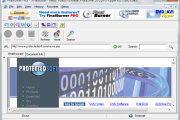
Create a wide range of different types of disc with FinalBurner

Burning CDs, DVDs and Blu-ray discs opens up a huge number of opportunities. From creating backups of important files to authoring video and audio discs, the possibilities are virtually endless. There are a huge number of disc burning tools to choose from, with free programs often being a little limited and those which offer a greater set of feature being somewhat expensive. FinalBurner provides something of a compromise and is available in two versions - one feature limited free edition, and a paid for version which is more feature rich.

The free version of the program can be used to burn a variety of different types of disc including video and audio discs. An integrated CD ripper makes it easy to convert existing CDs into MP3 format which can then be used to create your perfect compilation discs. When creating video discs you have the option of importing a huge number of video formats including AVI, DivX, WMV and MPEG.

If you’re looking for a few extra features, FinalBurner Pro may be the program you're looking for. With support for even more file formats and the option of capturing footage from a TV tuner as other sources, the creative opportunities are opened up even further - including the creation of high definition discs. Extra features such as disc image creation and burning, a disc label designer and more, even disc burning eventuality is catered for.

Verdict:

Free disc burning tools do not come more intuitive or powerful than FinalBurner Free

Your Comments & Opinion
 
Related Download Articles
 
CDBurnerXP 4.4.1

CDBurnerXP 4.4.1.3099

Freeware

Quickly burn just about any disc from your PC, all for free

Ashampoo Burning Studio 11

Ashampoo Burning Studio 11.0.4

Trial Software

Quickly burn CDs, DVDs and Blu-ray discs with this fast, powerful yet easy-to-use mastering tool

Tiny Burner

Tiny Burner 1.0.202

Freeware

A free disc burning tool that pack the punch of many commercial products

Other Download Articles From This Category
Pixelmator

Pixelmator 2.0.4

Trial Software

A powerful image editor available for a fraction of the cost of the competition

EMDB 1.48

EMDB 1.48

Freeware

Keep track of even the largest movie collection with this powerful database

PicPick

PicPick 3.1.5

Shareware

Capture, edit and upload images in a flash with this powerful screen capture program

jAlbum 10.7.2

jAlbum 10.7.2

Free, for personal-use only

Create stylish web albums from your favourite digital photos

From Softwarecrew

Please wait while my feed loads

See more posts...


Spotlight: Free Full Software

Giveaway: WinISO Standard 6.1.0

Free Full Commercial Software

WinISO is a very comprehensive tool which provides everything you need to create, edit and convert disc images.

If you've an image file already, for instance (ISO, CUE/ BIN, NRG, MDF, CCD, IMG and DVD formats are supported) then you can open it in a click or two, browse the image contents, and extract the files you need with a quick drag and drop.

It's just as easy to create new ISO9660, UDF, even HFS+ images. Just choose the option you need, then either manually build up your preferred file and folder structure; drag and drop your files and folders from Explorer onto the program; or create an image directly from a CD, DVD or Blu-ray disc.

Of course you can edit images, too. Is an ISO file too large for your needs, say? Open it up, locate and remove any surplus files to free up a little space.

WinISO program has full support for reading and creating bootable image files. A simple conversion tool makes it easy to convert disc images into the format you need. And the program can even mount ISO files as Explorer files, or burn images to disc when you're ready to save them.

Please note, this trial version of WinISO Standard will not save files greater than 500MB in size.

Giveaway: on Wednesday, we're giving you the full current version of WinISO Standard 6 worth $29.95. The download link here will take you to Downloadcrew Giveaway.

[...]
Time Remaining: