File synchronisation is incredibly useful. If you are creating a web site, it makes it easy to ensure that the latest version of files are uploaded, and synchronisation can also be used to create backups of important files.
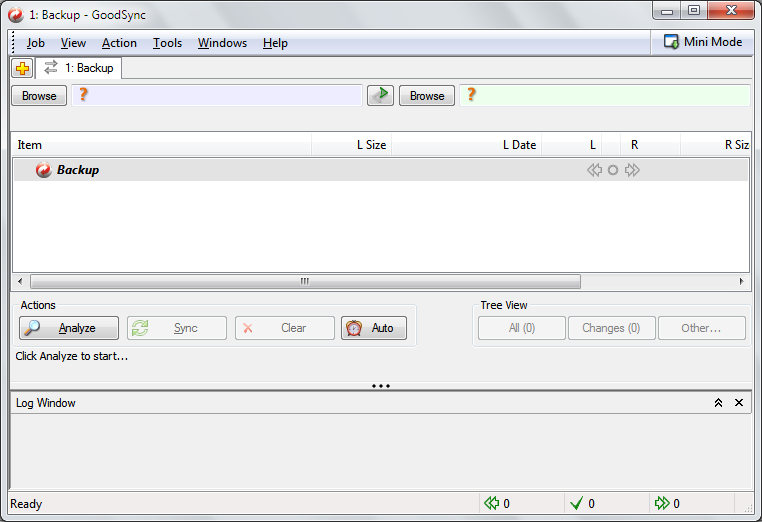
GoodSync can be used in synchronisation or backup mode, making it a versatile tool. Files can be synchronised with or backed up to other folders, separate drives, removable media, networked computers or online servers.
Used in two-way synchronisation mode, GoodSync makes it easy to keep files in sync in two locations - as soon as files are created, edited or deleted, the change will be reflected in the connected location. Used in one-way backup mode, GoodSync provides a means of safeguarding your files.
But it does not end there. GoodSync can also be used to synchronise data between applications. There are a number of supported programs, including RoboForm, Outlook, QuickBooks and Windows Mail. The program is easy to set up and the synchronisation is fast and reliable, helping to give you peace of mind.
Note that there is a Pro version available.
Verdict:
A solid and reliable synchronisation tool which doubles as a backup program.
Changelog
What's new in 12.6.4 (see full changelog for more)?
* S3: Added support for all S3 storage class, including Glacier, Glacier IR, Deep Archive.
* Azure: Added Storage Class support to Server Account UI.
* Server Accounts: Added 'Clone & Change' command, to split Server Account in two, with diff storage options.
* Backblaze: Fixed large file uploads fails if 'Upload/Download Chunks' is set to 0.
* pCloud: Fixed crash cased by receiving child before its parent, in notifications.
* Proxy + GSTP client: Fixed GSTP client was not working when Proxy is specified.
* Proxy + GS-server: Speed up switching to new registration when Proxy has changed.
* Sib-SMB: Fixed working with file paths that contain some Japanese or Chinese symbols.
* Server Account Options: Moved Ignore Bad Certs option from Basic to Advanced.
* SFTP options: Added option 'Do not check HostKey of Server'.
* SFTP options: Enabled option 'Use Proxy' for SFTP, so that it can be turned off.
* Analyze, Sync UI: Improved notification of finished Job from Runner to GUI.
* GoodSync 2go installer: Fixed initial drive selection was not properly shown.
* GSTP Server List: Added checkbox to Show Dead Computers too, before it was Live only.
* CC-Runner installer: Make CC-Runner installer write Proxy settings too.
* CC-Runner: Split settings into PerComputer cc-company.tix and PerUser cc-runner.tix.
* CC-runner: Fixed CC-Runner may cycle if Shutdown is done during Job execution.


Your Comments & Opinion
www.downloadcrew.com reply:
Paul, do you have a link? Reference?
Synchronise files and folders across a variety of locations with Allway Sync
Keep the contents of folders synchronised for backup purposes
Safeguard your precious data with this backup and synchronizing tool
Take the pain out of file synchronisation with this easy-to-use tool
A cross-platform backup and synchronisation utility that's packed with features
Sync folders easily and securely, even across far-flung devices
Keep the contents of folders synchronised for backup purposes
Keep files synchronised between drives, computers and servers
Keep your files synchronized between your computer and iOS devices
Keep files synchronised between drives, computers and servers
A cross-platform backup and synchronisation utility that's packed with features
A cross-platform backup and synchronisation utility that's packed with features
Backup, synchronise & share important files
Backup, synchronise & share important files
Backup, synchronise & share important files